Features
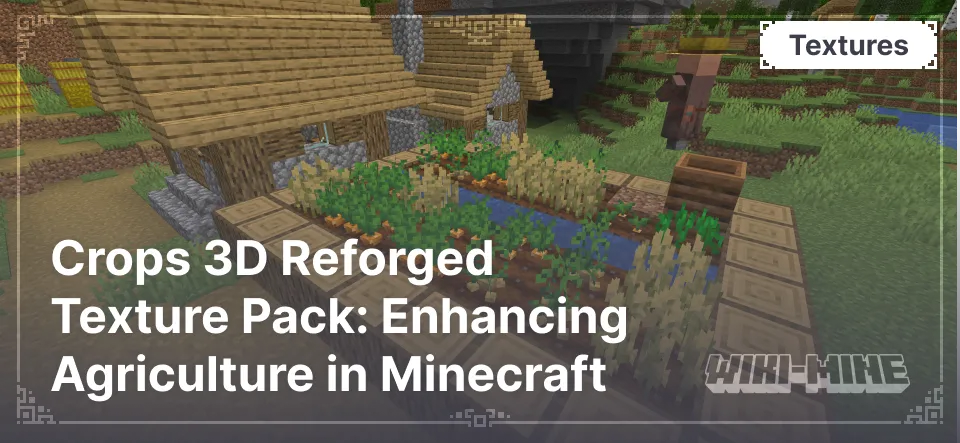
- Realistic 3D Models: Crops such as carrots, beets, potatoes, and wheat receive volumetric models, making them more vibrant and detailed. Additionally, water used in farming appears more natural and three-dimensional.
- Vanilla Style Retained: The textures of the models are based on the default Minecraft textures, ensuring seamless integration with the rest of the game world.
- Updated Natural Elements: In addition to crops, the pack includes 3D models for mushrooms, sugar cane, sweet berry bushes, saplings, and flowers, as well as their potted versions. Water and its interaction with the environment have also been improved, creating a more realistic perception of wet areas.
Realistic 3D Models: Crops such as carrots, beets, potatoes, and wheat receive volumetric models, making them more vibrant and detailed. Additionally, water used in farming appears more natural and three-dimensional.
Vanilla Style Retained: The textures of the models are based on the default Minecraft textures, ensuring seamless integration with the rest of the game world.
Updated Natural Elements: In addition to crops, the pack includes 3D models for mushrooms, sugar cane, sweet berry bushes, saplings, and flowers, as well as their potted versions. Water and its interaction with the environment have also been improved, creating a more realistic perception of wet areas.
Conclusion
If you want to enhance the visual aspect of farming in Minecraft while preserving the original game’s aesthetic, Crops 3D Reforged is an excellent addition to your gameplay experience. This resource pack will bring new depth and color to your world, making it even more immersive and lively.
Published under All Rights Reserved (free distribution allowed)
Installation
A typical installation takes about 5 minutes. The flow is the same; only the loader and the matching build differ.
- Download the resource pack (.zip) — keep it zipped.
- In Minecraft open Options -> Resource Packs -> Open Pack Folder.
- Move the .zip into that resourcepacks folder.
- Select the pack so it moves to the right column, then click Done.