EMI is a featureful and accessible item and recipe viewer. It brings many new features, and optimizes for the user experience. Outside of the standard Fabric/Quilt API, EMI requires zero dependencies, and can be launched with the game simply and easily.
Runtime JEI Compat
For runtime JEI compat, all you need to do is install JEI alongside EMI and they will work together to share recipes. JEI will be hidden.
What does EMI bring to the table?
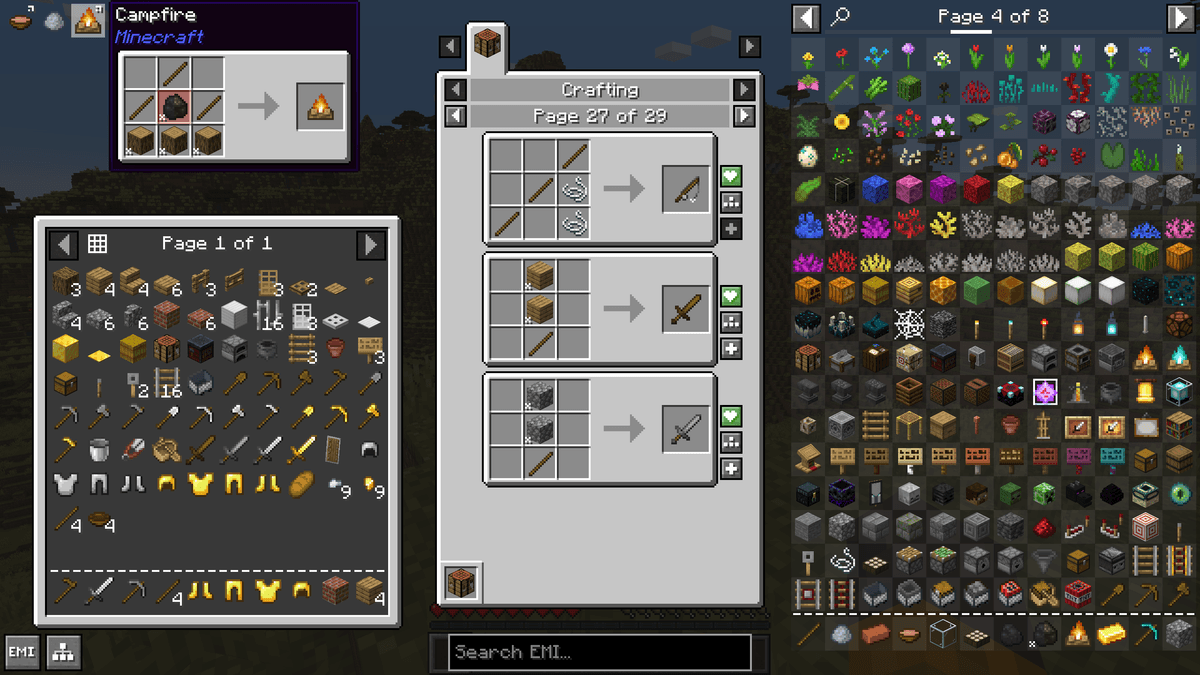
Of course EMI comes with every feature you'd come to expect from the outset, viewing recipes, favoriting items, searching, and the like. But what's new that EMI offers?
- A craftable mode for quickly crafting any recipes you're able to make, usable by toggle or as a config for empty searches
- Recipes can be favorited with items, and also can be used to quickly craft at a button press
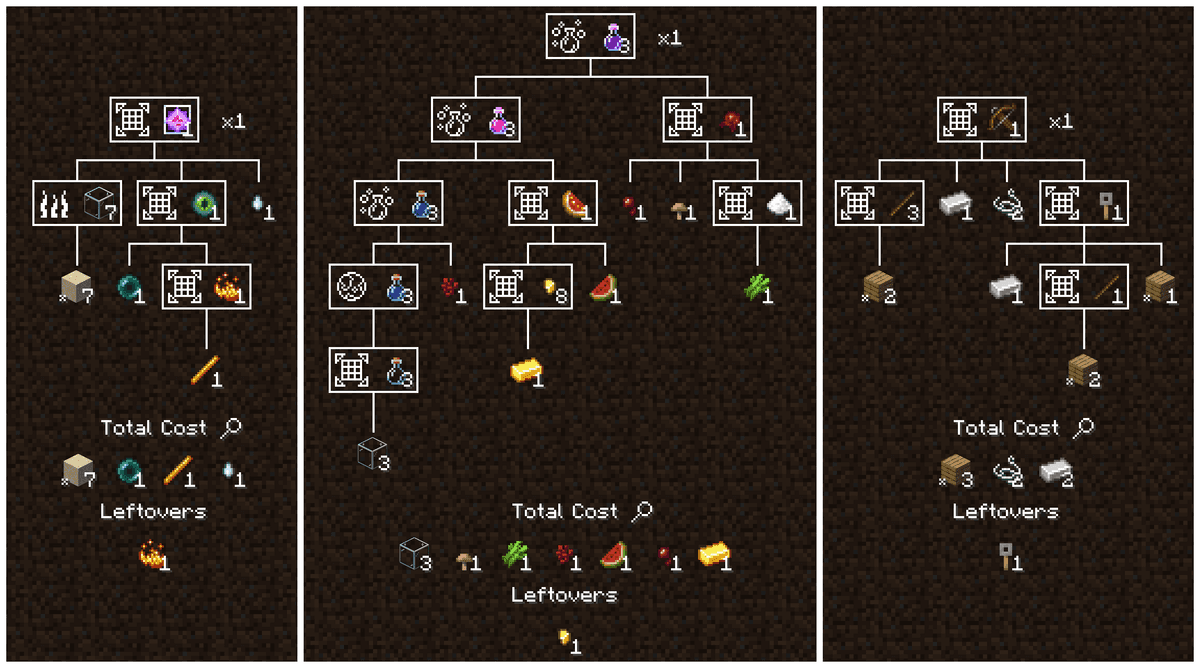
- A recipe tree for breaking down the cost of a complex craft, showing you every step, how many base ingredients you need, and what you'll have leftover
- A recipe tree crafting mode, counting up the materials and steps you need to be complete to finish a task, including synthetic favorites in your sidebar you can use to craft every step for exactly as much as you need
- Smart display of tags, with translations, models, and tooltips, showing you ingredients at a glance, such as "Planks" instead of slowly rotating through every plank in the game.
- Smart breakdowns of base costs, letting recipe trees automatically break down to base ingredients, and letting you define your own defaults as you play
- Tooltips for recipes, tags, and ingredients showing you what will be crafted, and what makes up an ingredient
- Binds for quick crafting straight into your inventory or cursor, one or many at a time, in conjunction with recipes favorites or the craftable mode
- A clean and modern API, built from the ground up to be simple, powerful, and suit all of EMI's features
- Zero third party dependencies. EMI only requires standard, first party Fabric/Quilt APIs
What does EMI stand for?
It doesn't, it's not an acronym. Or maybe it's an acronym without a meaning? If it makes you more comfortable, you can pick one from the list below, or make your own up.
- Emi Memy Imi
- Exhaustively Many Items
- Explicitly Mandated Items
- Endless Material Information
- Expounded Minutia Introspection
- Earnestly Made Imitation
- Even More Items
- Eminence, My Inception
- Emi's Magic Inventory
- Efficiently Managed Inventory
- Exploring Modified: Iridescent
- Expropriated Matter Insights
Installation
A typical installation takes about 5 minutes. The flow is the same; only the loader and the matching build differ.
- Install a mod loader (Forge, Fabric or NeoForge) that matches your Minecraft version.
- Download the mod file (.jar) built for that same version.
- Place the .jar into your .minecraft/mods folder.
- Launch Minecraft with the modded profile and check the mod loads in-game.
Download EMI
1.1 MBSeptember 6, 2026