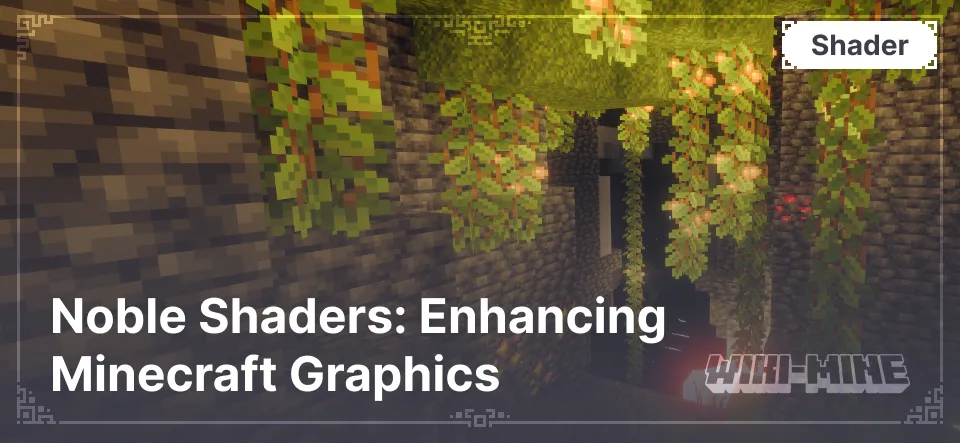
Features and Benefits
- Realistic Lighting: Natural lighting with soft shadows, dynamic brightness changes, and realistic color rendering.
- High-Quality Shadows: Deep and smooth shadows that give in-game objects more volume.
- Realistic Water: Waves, transparency, and reflections create the effect of real water.
- Weather Effects: Beautiful visual effects of rain, fog, and sun glare enhance the atmosphere.
- Flexible Settings: Support for both ready-made presets and detailed parameter customization.
Realistic Lighting: Natural lighting with soft shadows, dynamic brightness changes, and realistic color rendering.
High-Quality Shadows: Deep and smooth shadows that give in-game objects more volume.
Realistic Water: Waves, transparency, and reflections create the effect of real water.
Weather Effects: Beautiful visual effects of rain, fog, and sun glare enhance the atmosphere.
Flexible Settings: Support for both ready-made presets and detailed parameter customization.
Graphical Enhancements
Noble Shaders enhances:
- Lighting — adds soft shadows and realistic sunlight rays.
- Reflections — realistic reflections on water surfaces.
- Weather — visual effects of rain, fog, and glare.
- Water Textures — realistic waves and transparency.
Lighting — adds soft shadows and realistic sunlight rays.
Reflections — realistic reflections on water surfaces.
Weather — visual effects of rain, fog, and glare.
Water Textures — realistic waves and transparency.
Compatibility
- Minecraft Versions: 1.16 - 1.20
- Platforms: Supports Forge, NeoForge, and Fabric
- Mods: Fully compatible with OptiFine and Iris
Minecraft Versions: 1.16 - 1.20
Platforms: Supports Forge, NeoForge, and Fabric
Mods: Fully compatible with OptiFine and Iris
Differences from Other Shaders
Noble Shaders stands out due to its balance between graphic quality and performance. It offers realistic effects without heavy system load, making it accessible for players with mid-range PCs.
Shader Comparison Table
| Parameter | Noble Shaders | BSL Shaders | SEUS PTGI |
|---|---|---|---|
| Minecraft Version | 1.16 - 1.20 | 1.12 - 1.20 | 1.14 - 1.20 |
| Performance | Mid-range PC | Mid-range PC | High-end PC |
| Lighting Quality | Soft shadows, realism | Brightness, saturation | Photorealism |
| Water Realism | Waves, reflections | Transparency, waves | Full realism |
| Weather Effects | Rain, fog, glare | Glare, fog | Rain, realistic fog |
| Mod Compatibility | OptiFine, Iris | OptiFine, Iris | OptiFine |
| Settings Flexibility | High | Medium | Medium |
| Features | Balance of graphics and performance | Bright colors and softness | Photorealistic lighting |
FAQ
1. Why doesn't the shader work after installation?
- Ensure OptiFine or Iris compatible with the shader version is installed.
2. How to improve performance?
- Reduce render distance and disable unnecessary effects in shader settings.
3. The shader conflicts with mods. What should I do?
- Use the latest version of OptiFine or Iris and check mod compatibility.
4. Can I use Noble Shaders on a low-end PC?
- Yes, but it is recommended to lower quality settings for stable performance.
5. Which platforms are supported?
- Forge, NeoForge, and Fabric.
Published under GNU General Public License v3.0 only
Before / After
Drag the slider to compare vanilla with the pack.
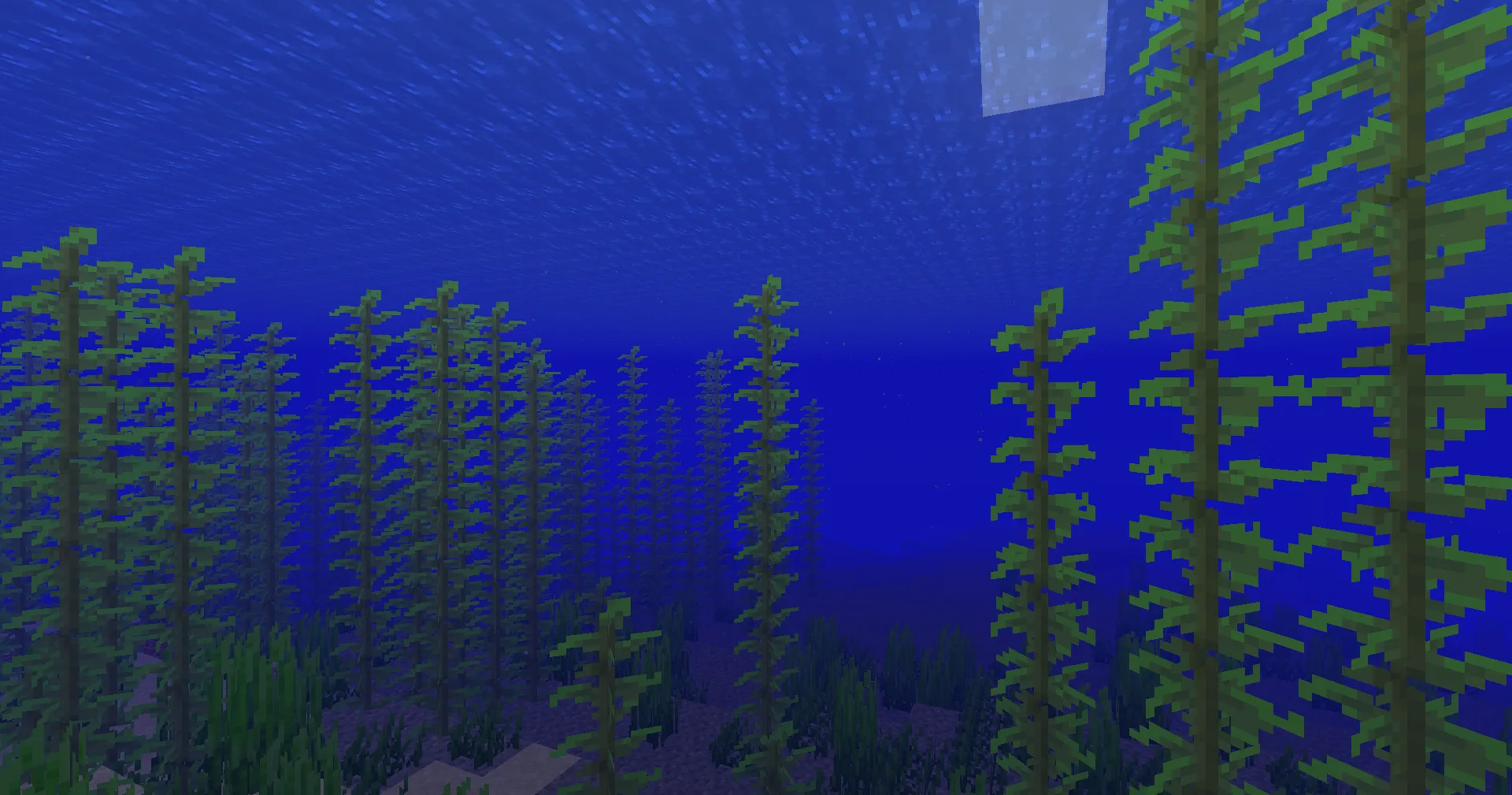
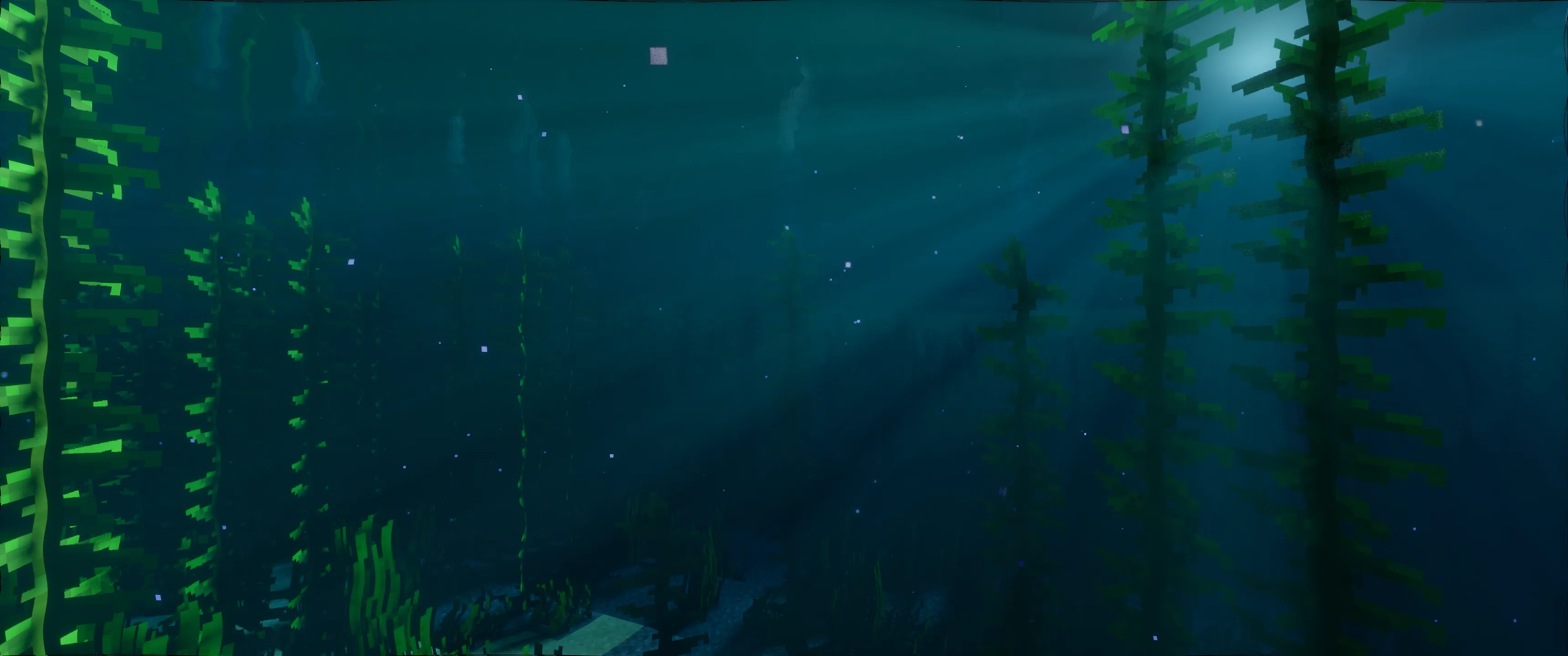
Use the arrow keys to move the divider.
Installation
A typical installation takes about 5 minutes. The flow is the same; only the loader and the matching build differ.
- Install a shader loader: OptiFine, or Iris + Sodium for better performance.
- Download the shader pack (.zip).
- Open Options -> Video Settings -> Shaders -> Shaders Folder and drop the .zip in.
- Click the shader pack in the list to enable it.