Main Features
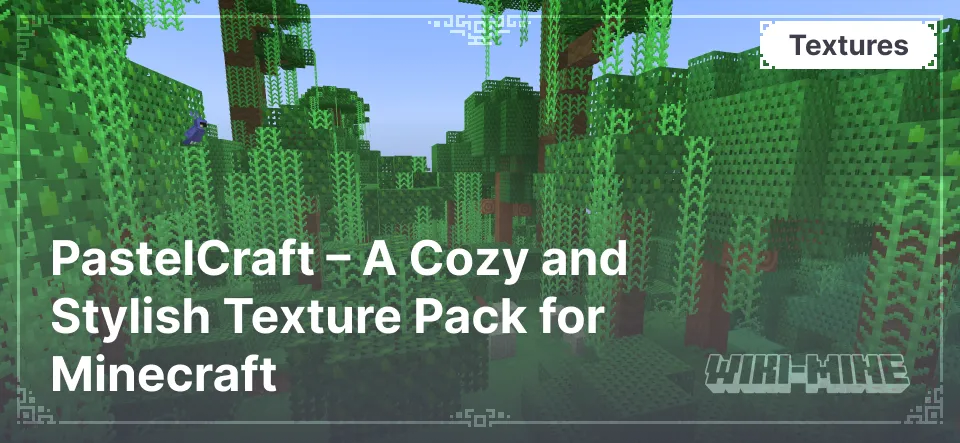
- Pastel Color Palette: The texture pack replaces Minecraft’s standard colors with softer, gentler shades, creating a calm and soothing atmosphere.
- Simplified Textures: PastelCraft offers simple yet detailed textures, making objects and blocks easily recognizable without excessive complexity.
- Preserved Functionality: Despite the design changes, all blocks and items remain functional and easy to identify.
- Harmonious Color Combinations: All design elements in the texture pack are carefully selected to blend well together, creating a unified and aesthetically pleasing world.
- Optimized Performance: Thanks to its minimalist style, the texture pack does not overload the system and is suitable even for low-end computers.
- Unique Mob Designs: PastelCraft features redesigned mob textures that complement the new color palette, making them appear friendlier.
- Subtle Interface Changes: The game’s interface has also received light modifications, making it more user-friendly and visually appealing.
Pastel Color Palette: The texture pack replaces Minecraft’s standard colors with softer, gentler shades, creating a calm and soothing atmosphere.
Simplified Textures: PastelCraft offers simple yet detailed textures, making objects and blocks easily recognizable without excessive complexity.
Preserved Functionality: Despite the design changes, all blocks and items remain functional and easy to identify.
Harmonious Color Combinations: All design elements in the texture pack are carefully selected to blend well together, creating a unified and aesthetically pleasing world.
Optimized Performance: Thanks to its minimalist style, the texture pack does not overload the system and is suitable even for low-end computers.
Unique Mob Designs: PastelCraft features redesigned mob textures that complement the new color palette, making them appear friendlier.
Subtle Interface Changes: The game’s interface has also received light modifications, making it more user-friendly and visually appealing.
Conclusion
The PastelCraft texture pack offers a fresh take on the familiar Minecraft world, making it softer and more pleasing to the eye. It is perfect for players looking to change the game's visual style without losing its original atmosphere.
Published under MIT License
Installation
A typical installation takes about 5 minutes. The flow is the same; only the loader and the matching build differ.
- Download the resource pack (.zip) — keep it zipped.
- In Minecraft open Options -> Resource Packs -> Open Pack Folder.
- Move the .zip into that resourcepacks folder.
- Select the pack so it moves to the right column, then click Done.