- Minecraft version used for testing and writing this article: 1.21.1
- Supported versions range: 1.14.4 – 1.21.1
- Dependencies: Fabric API (for Fabric/Quilt setups)
Minecraft version used for testing and writing this article: 1.21.1
Supported versions range: 1.14.4 – 1.21.1
Dependencies: Fabric API (for Fabric/Quilt setups)
Pehkui is a library mod for Minecraft Java Edition that allows you to change the size of almost any entity in the game: making a player or mob smaller or larger than the default. Along with visually scaling the entity, it proportionally adjusts related attributes — movement speed, interaction reach, fall damage, explosion radius, health, and attack damage.
The tool itself does not add items, blocks, or new mobs. It provides a scaling mechanic that can be controlled via a dedicated command or through other mods that use it as a foundation.
What exactly changes
The core principle: a set of separate multipliers is stored for each entity — individually for height, width, damage, interaction reach, health, speed, and other parameters. It's not a single global number, but multiple parallel values, some of which are tied to each other. For example, the pehkui:height type simultaneously affects hitbox height, eye level, and third-person camera distance — if you change just the height, the related parameters adjust automatically.
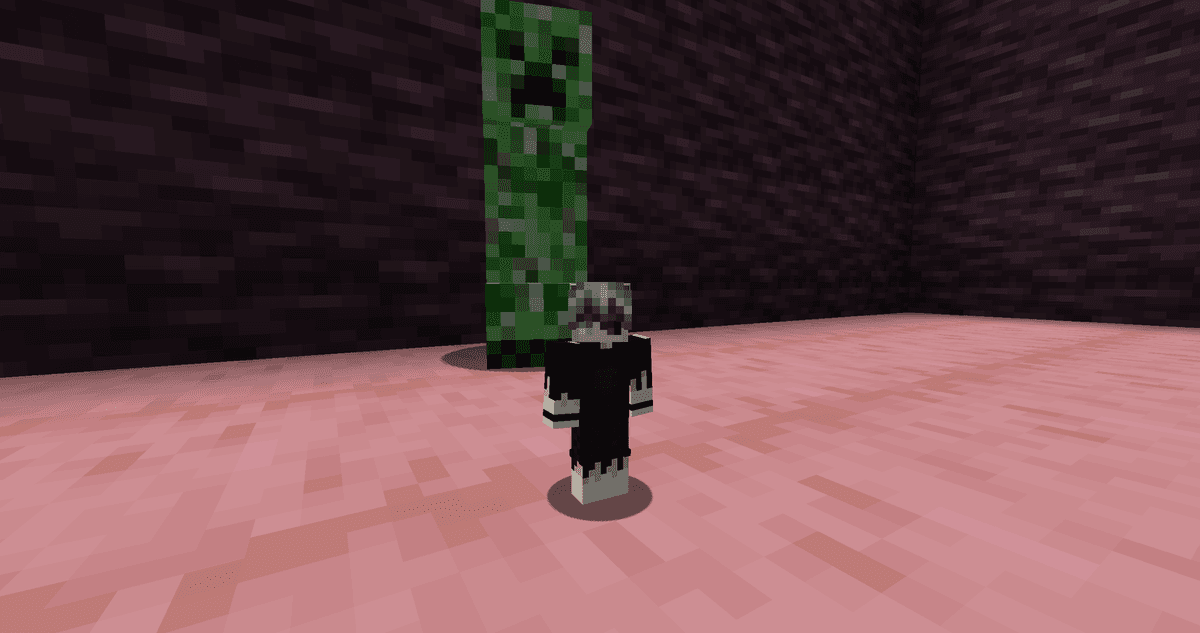
An enlarged CREEPER compared to a normal one.
This system allows you to control behavior precisely: you can increase only the damage without changing the size, only the speed without affecting health, or just the interaction reach without impacting the hitbox.
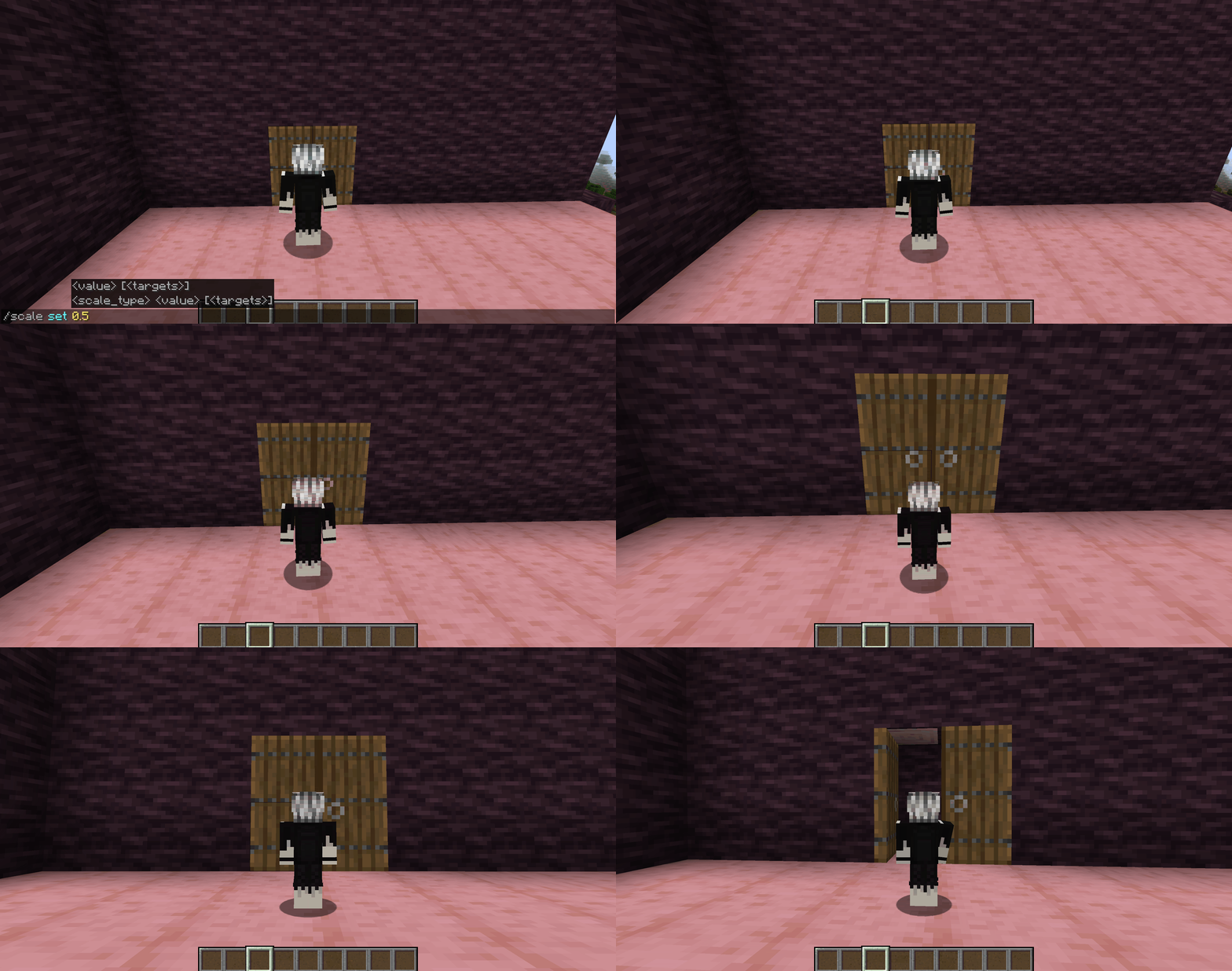
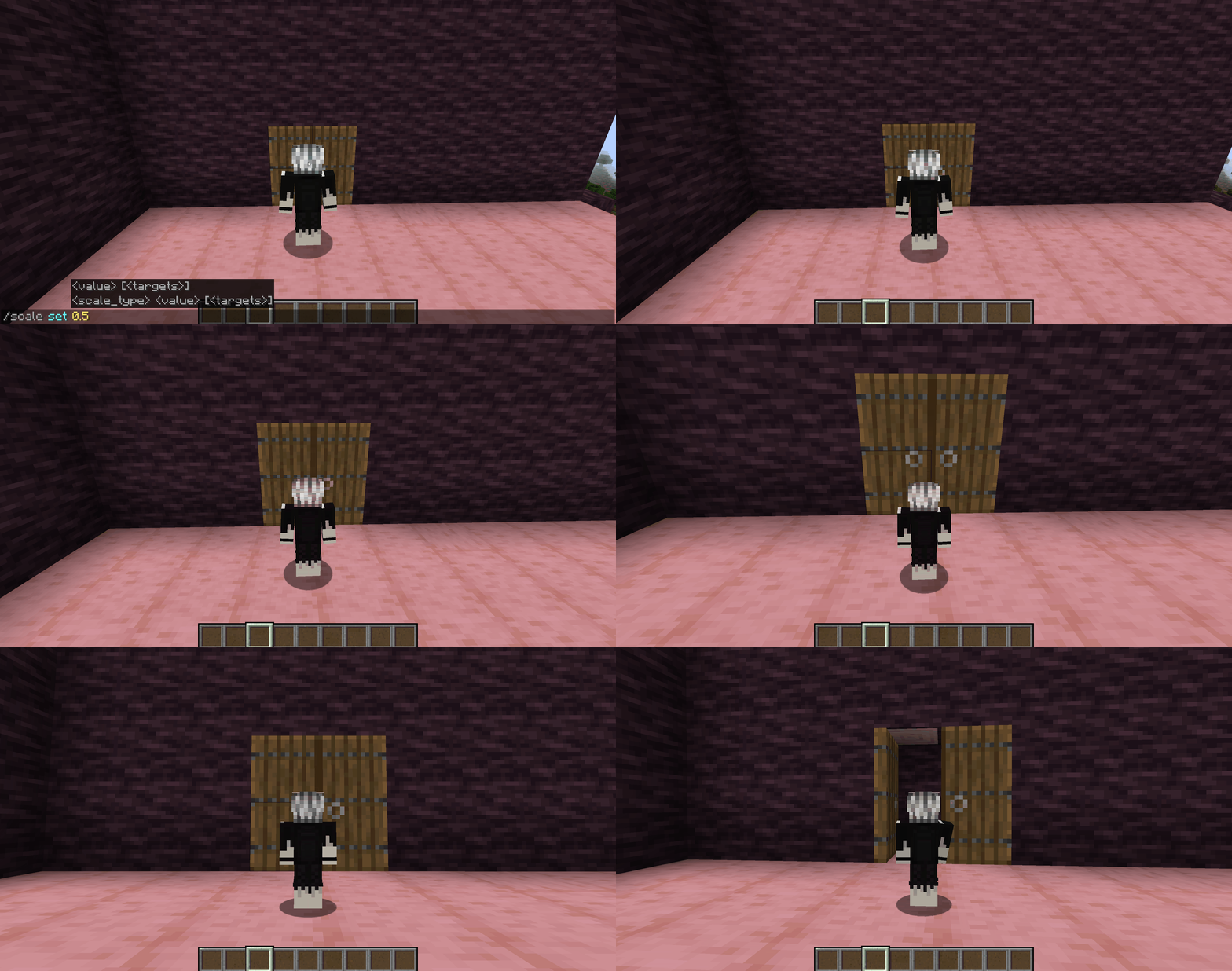
Shrinking the player and comparing them to a standard door.
The /scale command
If there are no other mods in the modpack that add a scaling interface, you can manage sizes directly via a console command. It only works for a player with operator privileges.
The basic syntax sets or modifies the value for a specific scale type and a specific entity:
/scale set <value> [<entity>]
/scale set <scale_type> <value> [<entity>]
/scale (add|subtract|multiply|divide) <value> [<entity>]
/scale (add|subtract|multiply|divide) <scale_type> <value> [<entity>]
/scale get [<entity>]
/scale reset [<entity>]
The <value> is a multiplier. 1.0 is the standard size, 0.5 is half the size, and 2.0 is twice the size. If the scale type is not specified, the operation applies to pehkui:base — the base scale, which simultaneously affects width, height, movement, drops, projectiles, explosions, and visibility.
There is a separate subcommand to delay the transition between values. Without it, the scale changes instantly — in one tick. With it, the transition is stretched over the specified number of ticks and looks smooth:
/scale delay set <ticks> [<entity>]
/scale delay set <scale_type> <ticks> [<entity>]
For example, 60 ticks is three seconds of smooth growing or shrinking.
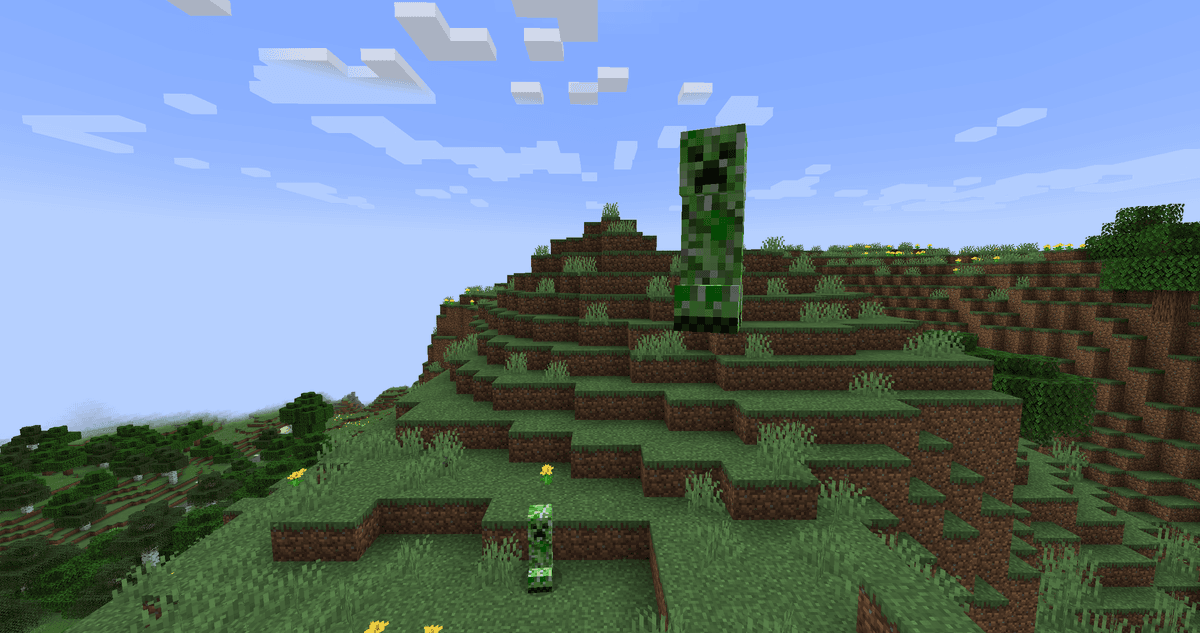
A shrunken player next to a standard CREEPER.
Scale types
In total, the mod registers 28 distinct types. You don't need to memorize all of them — in practice, a player only needs to know a few of the most important ones.
| Type | What it changes |
| pehkui:base | General multiplier; affects width, height, movement, drops, projectiles, explosions, visibility |
| pehkui:width | Model and hitbox width |
| pehkui:height | Model height, hitbox height, eye level, third-person camera |
| pehkui:motion | Movement speed |
| pehkui:jump_height | Jump height |
| pehkui:reach | General interaction reach (blocks + entities) |
| pehkui:attack | Dealt damage |
| pehkui:defense | Taken damage (a value less than 1.0 reduces it) |
| pehkui:health | Maximum health |
| pehkui:knockback | Dealt knockback strength |
| pehkui:falling | Fall damage |
| pehkui:mining_speed | Mining speed |
| pehkui:attack_speed | Weapon attack speed |
| pehkui:visibility | Distance from which enemies notice the entity |
| pehkui:flight | Flight speed in Creative mode |
| pehkui:step_height | Step height (slabs, stairs, snow) |
General multiplier; affects width, height, movement, drops, projectiles, explosions, visibility
Model and hitbox width
Model height, hitbox height, eye level, third-person camera
General interaction reach (blocks + entities)
Taken damage (a value less than 1.0 reduces it)
Dealt knockback strength
Distance from which enemies notice the entity
Flight speed in Creative mode
Step height (slabs, stairs, snow)
Other, less commonly needed types: held_item (held item scale), drops (dropped item size), projectiles (projectile size — arrows, tridents), explosions (entity explosion radius — CREEPER, END_CRYSTAL), view_bobbing (view bobbing), eye_height, hitbox_width, hitbox_height, model_width, model_height, third_person, block_reach, entity_reach.
Config
The configuration file is located at config/pehkui.json. It contains several general toggles that affect the mod's overall behavior. The rest of the file's parameters are minimum and maximum value limits for each scale type. There is no need to touch them in regular gameplay: they set safety limits for mods using the API.
| Parameter | What it does |
| enableCommands | Enables the /scale command. If false , the command is not registered, and the only way to change scale will be through other mods |
| keepAllScalesOnRespawn | If true , all scale types are preserved upon death, even without calling /scale persist set |
| scalesKeptOnRespawn | A list of specific types to preserve upon respawn. Works when keepAllScalesOnRespawn = false |
| accurateNetherPortals | If true , teleportation coordinates between the Nether and the Overworld account for the player's scale. Without this, a shrunken player might get stuck in a block when exiting the portal |
| scaledFallDamage | Multiply fall damage by the pehkui:falling |
| scaledMotion | Multiply movement speed by the pehkui:motion |
| scaledReach | Whether scale affects interaction reach ( pehkui:reach ) |
| scaledAttack | Multiply combat damage by pehkui:attack |
| scaledDefense | Multiply taken damage by pehkui:defense |
| scaledHealth | Multiply maximum health by pehkui:health |
| scaledItemDrops | Scale dropped item models |
| scaledProjectiles | Scale player or entity projectiles |
| scaledExplosions | Scale entity explosion radius (CREEPER, END_CRYSTAL) |
| enableDebugCommands | Enables extra commands for development; not needed in regular gameplay |
Enables the /scale command. If false , the command is not registered, and the only way to change scale will be through other mods
keepAllScalesOnRespawn
If true, all scale types are preserved upon death, even without calling /scale persist set
A list of specific types to preserve upon respawn. Works when keepAllScalesOnRespawn = false
accurateNetherPortals
If true, teleportation coordinates between the Nether and the Overworld account for the player's scale. Without this, a shrunken player might get stuck in a block when exiting the portal
Multiply fall damage by the pehkui:falling
Multiply movement speed by the pehkui:motion
Whether scale affects interaction reach (pehkui:reach)
Multiply combat damage by pehkui:attack
Multiply taken damage by pehkui:defense
Multiply maximum health by pehkui:health
Scale dropped item models
Scale player or entity projectiles
Scale entity explosion radius (CREEPER, END_CRYSTAL)
Enables extra commands for development; not needed in regular gameplay
Conclusion
Pehkui provides a separate toggle for each attribute, smooth transitions with a delay, and state saving between sessions. The /scale command and config are just the surface; the library's true value is revealed through mods that use its API for their mechanics. It is suitable for roleplay survival with transformation mechanics, for server minigames, and as a mandatory dependency in modpacks featuring dynamically sized bosses or racial systems.
Installation
A typical installation takes about 5 minutes. The flow is the same; only the loader and the matching build differ.
- Install a mod loader (Forge, Fabric or NeoForge) that matches your Minecraft version.
- Download the mod file (.jar) built for that same version.
- Place the .jar into your .minecraft/mods folder.
- Launch Minecraft with the modded profile and check the mod loads in-game.