Features and Advantages of TST Shaders
- Realistic Lighting: Smooth transitions of light and shadow, dynamic lighting, and soft shadows create a realistic atmosphere.
- Enhanced Reflections: Water and glass surfaces reflect the surrounding world, adding depth to the visuals.
- Realistic Water: Waves, transparency, glare, and realistic reflections of water look impressive.
- Detailed Weather Effects: Rain, fog, and sun glare look believable, enhancing the game's atmosphere.
- Flexible Settings: Ability to fine-tune graphics to match computer power or use ready-made presets.
Realistic Lighting: Smooth transitions of light and shadow, dynamic lighting, and soft shadows create a realistic atmosphere.
Enhanced Reflections: Water and glass surfaces reflect the surrounding world, adding depth to the visuals.
Realistic Water: Waves, transparency, glare, and realistic reflections of water look impressive.
Detailed Weather Effects: Rain, fog, and sun glare look believable, enhancing the game's atmosphere.
Flexible Settings: Ability to fine-tune graphics to match computer power or use ready-made presets.
Compatibility
TST Shaders is compatible with:
- Minecraft Versions: 1.16.5 – 1.20.4
- Platforms: OptiFine, Iris (via Fabric)
- Mods: Works with popular graphics optimization mods
Minecraft Versions: 1.16.5 – 1.20.4
Platforms: OptiFine, Iris (via Fabric)
Mods: Works with popular graphics optimization mods
What Makes TST Shaders Different from Other Shaders?
TST Shaders offers a balanced combination of realistic graphics and optimization. Unlike some heavy shaders, it provides high-quality visuals with moderate system requirements. Flexible settings allow customization for both low-end and high-end PCs.
TST Shaders Comparison Table with Other Shaders
| Parameter | TST Shaders | SEUS PTGI | BSL Shaders |
|---|---|---|---|
| Minecraft Version | 1.16.5 – 1.20.4 | 1.14 – 1.20 | 1.12 – 1.20 |
| Performance | Medium level | High (for powerful PCs) | Medium/High |
| Lighting Quality | Realistic, soft shadows | Photorealistic, global illumination | Smooth shadows, brightness |
| Water Realism | Waves, glare, reflections | Detailed reflections | Transparent with reflections |
| Weather Effects | Rain, fog, sun glare | Realistic weather effects | Enhanced weather effects |
| Mod Compatibility | High (OptiFine, Iris) | Medium (OptiFine) | High (OptiFine, Iris) |
| Settings Flexibility | High, fine-tuned settings | Medium | High |
| Features | Balance of quality and performance | Ray tracing | Flexible settings and stability |
FAQ
1. Why does the game lag with this shader?
Lower graphics settings or use lighter presets.
2. TST Shaders doesn’t work with mods. What should I do?
Check the compatibility of mods with OptiFine or Iris and update them to the latest versions.
3. How to fix lighting issues?
Check the lighting settings in the shader menu and reset them to default.
4. Is TST Shaders suitable for low-end PCs?
Yes, but it’s recommended to use minimal settings or lightweight presets.
Published under All Rights Reserved (free distribution allowed)
Before / After
Drag the slider to compare vanilla with the pack.
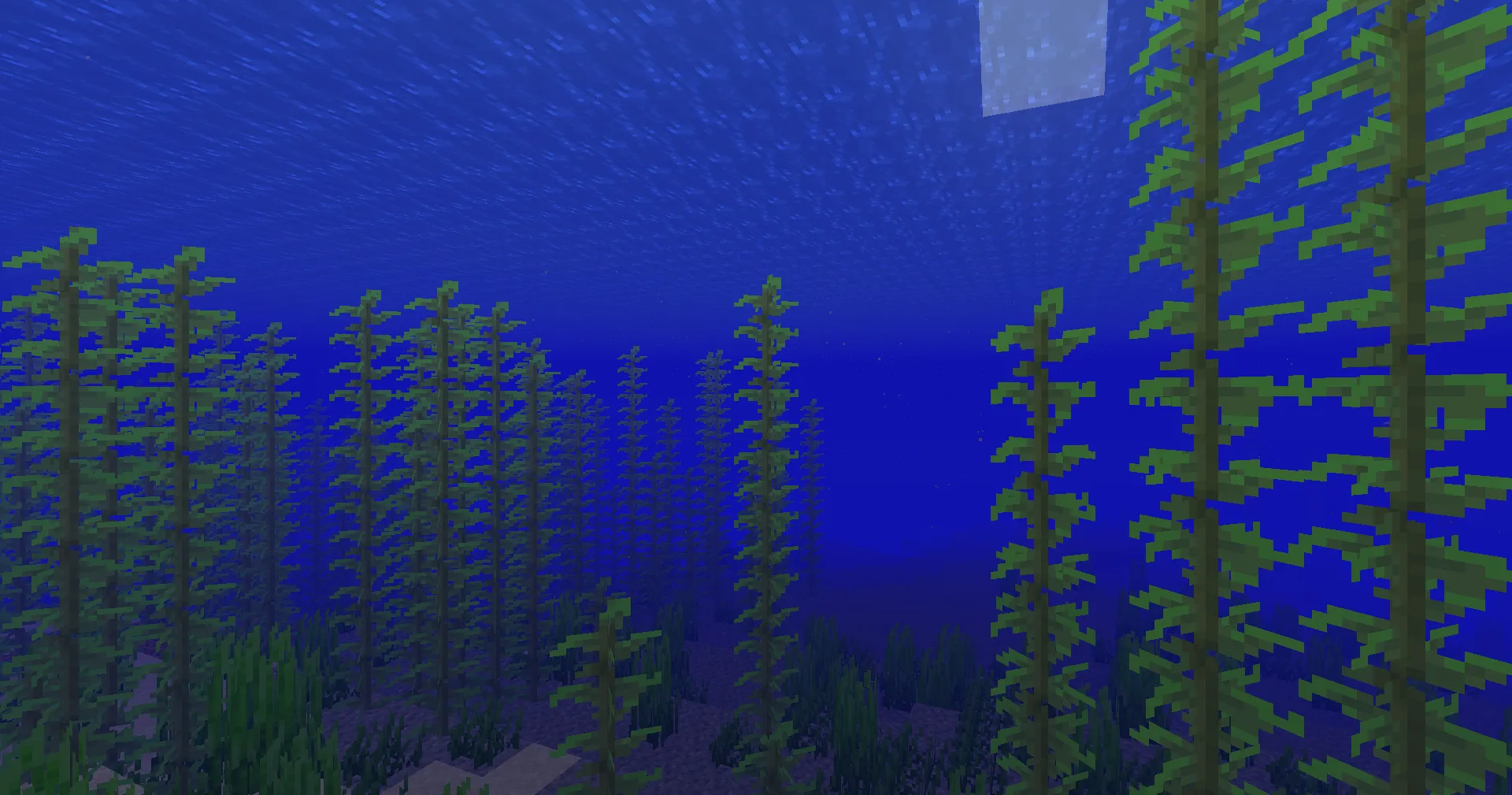
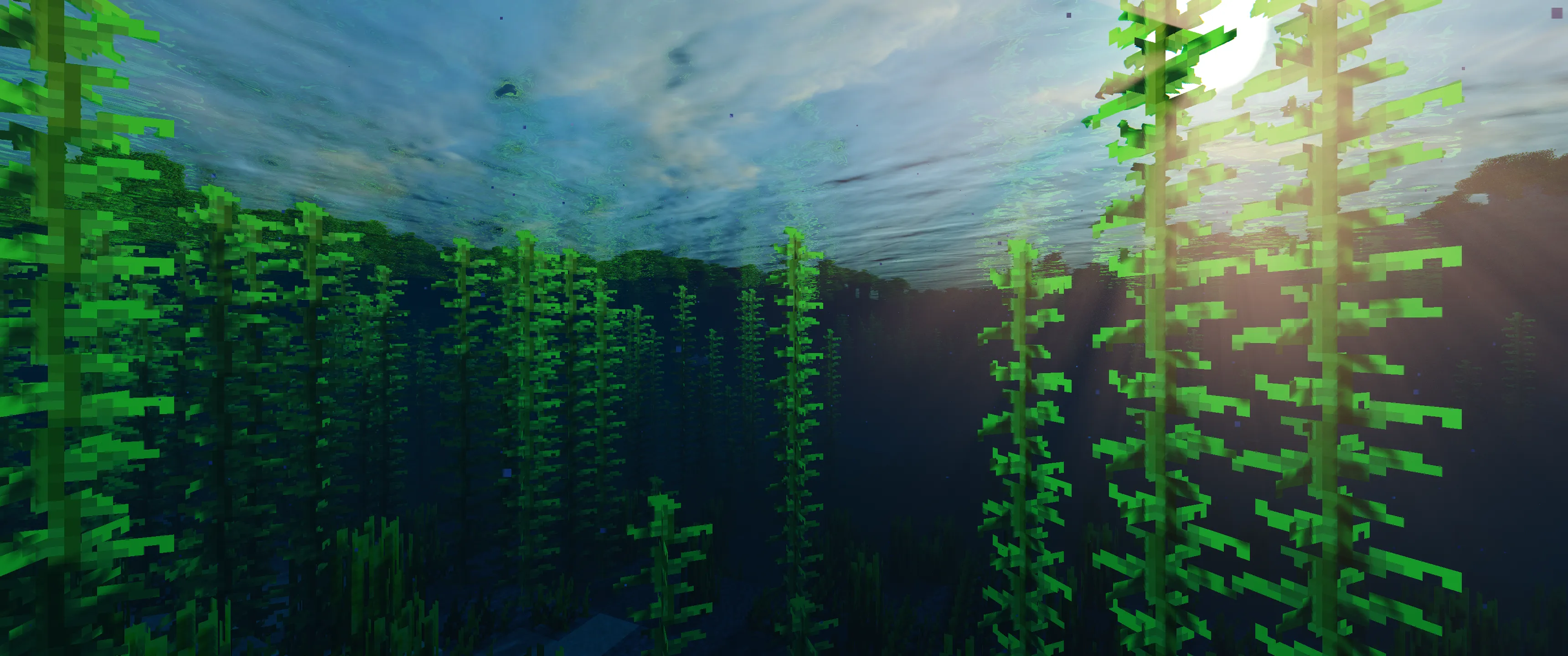
Use the arrow keys to move the divider.
Installation
A typical installation takes about 5 minutes. The flow is the same; only the loader and the matching build differ.
- Install a shader loader: OptiFine, or Iris + Sodium for better performance.
- Download the shader pack (.zip).
- Open Options -> Video Settings -> Shaders -> Shaders Folder and drop the .zip in.
- Click the shader pack in the list to enable it.
Gallery
Download TST Shaders — Enhancing Minecraft Graphics to a New Level
19.7 MBMarch 23, 2025